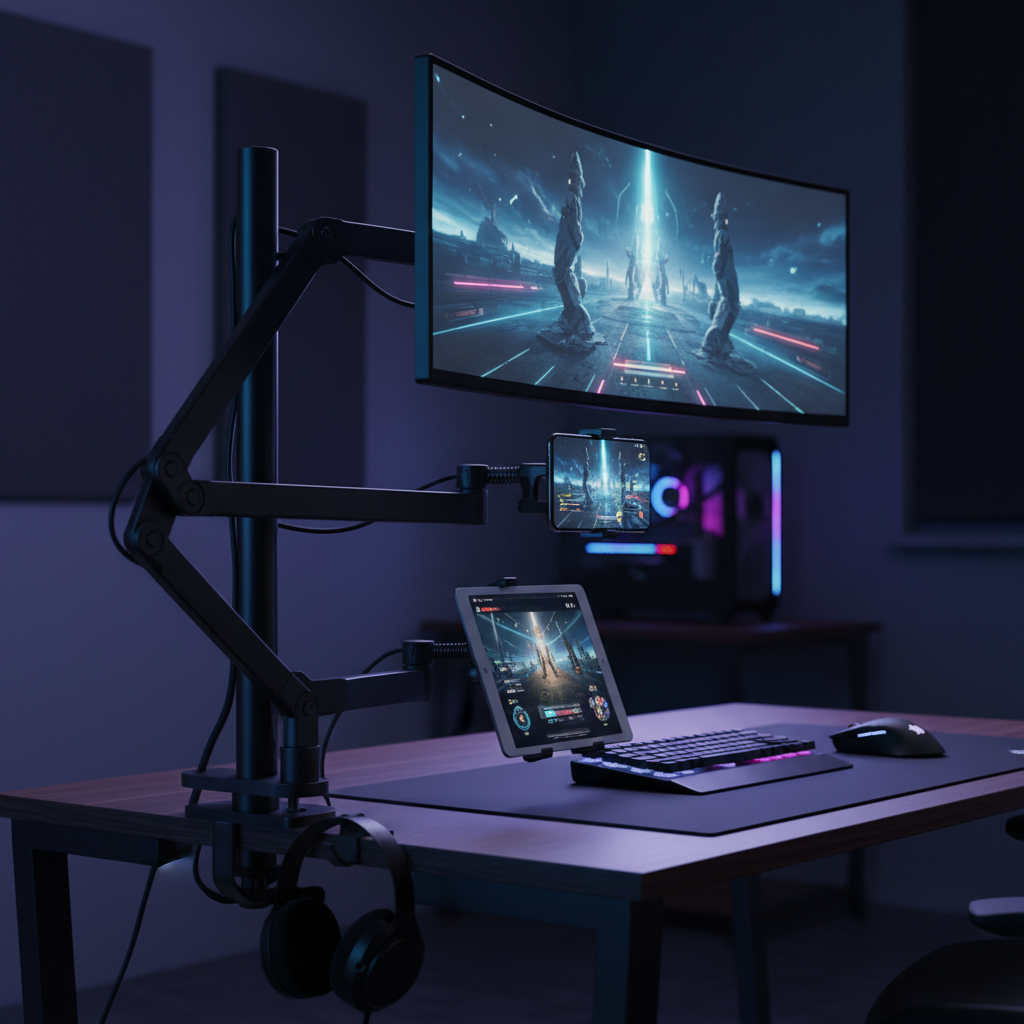
Maximize your desk space and improve ergonomics with our top reviews of the best monitor arms, phone mounts, and cable management hubs available in 2026.
In the world of high-performance gaming and content creation, your desk setup is just as critical as the hardware inside your PC. As we move through 2026, the trend has shifted decisively toward minimalist, ergonomic environments that prioritize health and screen real estate. A cluttered desk not only hampers your mouse movements during competitive play but can also lead to subconscious stress and reduced focus.
Whether you are rocking a massive ultrawide monitor for immersion or a vertical dual-screen array for chat and streaming, the right mounting hardware changes everything. It lifts your displays to eye level to prevent neck strain and clears the desktop for large mousepads and peripherals. Below, we dive into the top five upgrades for your gaming desk this year, focusing on stability, build quality, and cable management.
If you are looking for the absolute best single monitor arm on the market this year, the Ergotron LX Pro stands unrivaled. After extensive testing across various setups, this arm has proven to be the definitive pick for most gamers who demand stability and smooth articulation.
The build quality is immediately apparent. Unlike cheaper alternatives that wobble when you type or game aggressively, the LX Pro offers a rock-solid foundation. It is designed to handle monitors up to 34 inches and supports weight loads of up to 25 lbs with ease. This makes it perfect for heavy high-refresh-rate gaming panels. The articulation is incredibly smooth, allowing you to push the monitor away when you need desk space or pull it close for intense FPS sessions.
While the price point is higher than budget options, the inclusion of a 10-year warranty makes this a long-term investment for your setup rather than a quick fix. It is the kind of gear you buy once and keep through multiple PC upgrades.
Check Price for Ergotron LX Pro on Amazon
For streamers and multitaskers, one screen is rarely enough. However, managing two monitors can quickly turn a desk into a chaotic mess of stands and cables. The Ergotron LX Dual Stacking Arm solves this by mounting two displays on a single pole, significantly reclaiming desk surface area.
What separates this model from cheaper dual arms is the independence of movement. Many budget dual-arm systems lock both screens together, forcing them to move in unison. The Ergotron LX Dual allows for independent adjustment of each arm. This is a game-changer for streamers who prefer one monitor in a landscape orientation for gameplay and a second monitor in portrait mode for reading chat or coding. You can position one screen higher or at a distinct angle while the other remains flat.
Like its single-arm sibling, it features excellent build quality and supports the weight of modern gaming displays without drooping over time.
Check Price for Ergotron LX Dual on Amazon
Modern gaming often involves a second or third screen in your hand. Whether you are using your phone for discord calls, managing stream decks, or just watching guides while you play, holding a device is not ergonomic. The Lamicall Gooseneck Phone Holder has become a staple for its versatility and upgraded durability.
This mount features a nylon-braided gooseneck with an overall length of 38 inches, providing ample reach to position your phone exactly where you need it—floating above your keyboard or beside your main monitor. The 360-degree adjustable ball joint allows for effortless switching between portrait and landscape modes.
The base clamp is reinforced to provide better texture and stability, fitting desk edges up to 3.15 inches thick. This flexibility means you can mount it to your desk, a nearby shelf, or even a headboard if you game from a more relaxed position. It effectively frees your hands, allowing you to focus on the game while keeping your mobile device within peripheral view.
Check Price for Lamicall Gooseneck on Amazon
For those who use a tablet as a dedicated dashboard for system stats, chat, or maps, the LISEN iPad Stand offers a robust desktop solution. Unlike flimsy plastic stands that slide around, this unit utilizes an Aluminum-Titanium alloy for superior strength and weight.
Users have praised this stand for solving the instability issues found in cheaper first-generation holders. It features a weighted, anti-slip base that ensures your tablet won't tip over, even when you are tapping the screen vigorously. The height is adjustable, which is crucial for aligning your tablet with the bottom bezel of your monitor to create a seamless "cockpit" view.
It is compatible with devices ranging from 4.7 inches up to 12.9 inches, making it sturdy enough to hold a large iPad Pro without sagging. If you use a Bluetooth keyboard with your tablet for a secondary work setup, this stand provides the perfect viewing angle to maintain good posture.
Check Price for LISEN Tablet Stand on Amazon
Cable management is often the most overlooked aspect of a gaming desk, yet it has the biggest visual impact. The Anker 675 USB-C Docking Station is a unique hybrid product that acts as a monitor riser, a 12-in-1 connectivity hub, and a cable organizer all in one.
By elevating your monitor, it improves ergonomics immediately. However, the real magic lies in the ports and space saving. It provides a 100W max USB-C upstream port to connect a laptop, along with three USB-A ports, two USB-C ports, SD card slots, 4K HDMI, and Ethernet. This effectively turns a messy laptop-gaming setup into a clean, single-cable docking station.
Furthermore, the space underneath the stand is perfect for stowing your keyboard and mouse when not in use, keeping your desk clear for other tasks. It even includes a wireless charging pad on the top surface for your phone or earbuds. A built-in cable management system underneath helps route wires out of sight, ensuring your battlestation looks as professional as it performs.
Check Price for Anker 675 Docking Station on Amazon
When selecting the right mounts for your setup, keep the following tips in mind:
By integrating these mounts into your setup, you are not just making your desk look cooler; you are investing in your physical health and gaming performance.
