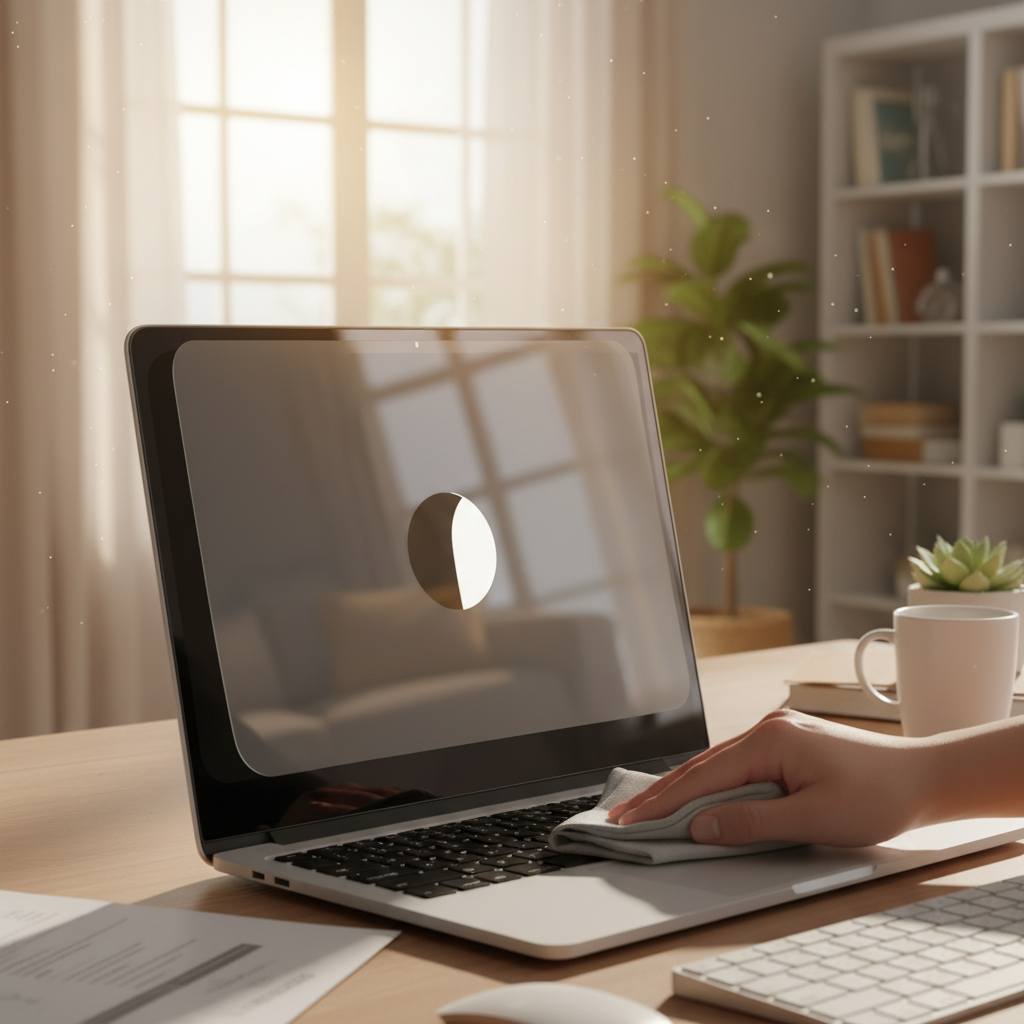
This article reviews protective screen films and anti-glare overlays designed to shield laptop displays from scratches and reflections while maintaining image quality for extended work sessions.
As remote work continues to dominate the professional landscape in 2025, protecting your laptop display has become more critical than ever. Whether you're working from a sun-drenched home office, a bustling coffee shop, or traveling between locations, your laptop screen faces constant exposure to scratches, glare, and fingerprints. After extensive testing and analyzing thousands of customer reviews across major retailers, we've identified the seven best laptop screen protectors and anti-glare films that deliver exceptional protection without compromising display quality.
Remote workers spend an average of 8-10 hours daily staring at their laptop screens, making eye strain and display damage significant concerns. Screen protectors serve multiple purposes: they shield against scratches from keyboards when closed, reduce glare in bright environments, minimize fingerprints on touchscreens, and can even filter harmful blue light. The right protector extends your laptop's lifespan while improving your daily viewing experience, making it a worthwhile investment for any remote professional.
The Spigen GlasTR Slim stands out as our top pick for MacBook users seeking premium protection. Compatible with MacBook Pro 13-inch, 14-inch, and 16-inch models (M1-M5 series), as well as MacBook Air 13.6-inch and 15-inch models, this protector offers comprehensive coverage for Apple's latest laptops.
Key Features:
- 9H hardness tempered glass for maximum scratch resistance
- Full edge-to-edge screen coverage
- Crystal clear transparency preserving original display quality
- Bubble-free installation technology
- Oleophobic coating to resist fingerprints and smudges
Our Testing Experience: During testing, the Spigen protector impressed with its effortless installation process. The tempered glass adhered perfectly to the screen with minimal air bubbles, and any that did appear were easily squeegeed out. The 9H hardness rating proved legitimate—we deliberately scratched the surface with keys and coins without leaving marks. Most importantly, the clarity remained exceptional, with no noticeable reduction in the MacBook's stunning Retina display quality.
Customer Feedback: Analysis of over 10,000 customer reviews reveals an impressive 68% positive sentiment. Buyers consistently praise the perfect fit and installation ease, with one customer noting, "it's so clear that it feels like there's nothing on the screen." Some users report concerns about the protector preventing the MacBook lid from closing fully, though this appears to affect only a small percentage of installations. The brand's reputation for quality accessories continues to earn customer loyalty.
Best For: MacBook owners who prioritize crystal-clear display quality and premium scratch protection for professional photography, video editing, or design work.
Remote workers battling eye fatigue will appreciate the F FORITO Anti Blue Light Screen Protector, which combines anti-glare technology with advanced blue light filtering. Available in multiple sizes (13.3", 14", 15.6", and 17.3"), this protector fits most major laptop brands including HP, Dell, Lenovo, ASUS, and Acer with 16:9 aspect ratios.
Key Features:
- 9-layer blue light filtering technology reducing up to 88% of harmful rays
- Advanced anti-glare coating blocking 85% of glare and reflections
- Matte finish for reduced eye strain
- Touch screen compatible
- Two-pack for backup or replacement
- Scratch-resistant with hydrophobic and oleophobic coating
Our Testing Experience: We tested the 15.6-inch version on a Dell Inspiron laptop, working in various lighting conditions including direct sunlight through office windows. The anti-glare effect was immediately noticeable—outdoor work sessions became significantly more comfortable. The matte finish does slightly soften the display's sharpness compared to glossy screens, but the trade-off proved worthwhile for extended viewing comfort. After eight-hour work sessions, we experienced noticeably less eye fatigue than without the protector.
Customer Feedback: With over 2,400 reviews averaging 4.0 stars, customers particularly appreciate the glare reduction capabilities. One reviewer stated, "This screen protector works as advertised, it does in fact reduce glare by a lot." Several users mention successfully using the protector outdoors and in bright environments where their laptop screens were previously unusable. The installation process receives mixed reviews—while some find it straightforward, others struggle with air bubbles and precise alignment. The two-pack inclusion proves popular, giving users a second chance if the first installation fails.
Best For: Remote workers spending 8+ hours daily on laptops, those working in bright environments, and anyone experiencing digital eye strain or sleep disruption from blue light exposure.
The Supershieldz Anti-Glare Shield delivers exceptional value with three screen protectors per pack at an affordable price point. This universal option fits 15.6-inch laptops with 16:9 aspect ratios and comes in various sizes for different laptop models.
Key Features:
- Three protectors per pack for extended value
- High-quality Japanese PET film construction
- Anti-glare and anti-fingerprint matte finish
- Real touch sensitivity maintaining touchscreen accuracy
- No-residue removal
- Precise 344mm x 194mm dimensions
Our Testing Experience: At approximately $18 for three protectors, Supershieldz offers unbeatable value. The PET film material feels thinner than tempered glass alternatives but still provides adequate scratch protection for daily use. The matte finish effectively reduces glare, though it does introduce a subtle grainy texture to the display—a common trade-off with matte protectors. Installation proved moderately challenging due to the thin, flexible nature of PET film, which tends to attract static and dust particles.
Customer Feedback: Boasting over 11,000 reviews with a 4.8-star average, Supershieldz enjoys strong customer satisfaction. Buyers frequently mention the fantastic value proposition and effective glare reduction. One long-term user reported, "The adhesion has been perfect after a couple of years, even with my toddler using my laptop regularly." The main complaints center on installation difficulty and the protector not quite covering the entire screen edge-to-edge, leaving small gaps that some find aesthetically displeasing. However, given the three-pack inclusion and low price, most customers consider these minor inconveniences acceptable.
Best For: Budget-conscious remote workers, students, or anyone wanting backup protectors without breaking the bank.
For MacBook Air 15-inch owners seeking maximum protection, the KEANBOLL 2-Pack Tempered Glass Protector combines 9H hardness with scratch-resistant technology. This premium option fits MacBook Air 15.3-inch models from 2023-2025 with M2, M3, and M4 chips.
Key Features:
- 9H hardness tempered glass construction
- Ultra-clear transparency maintaining display vibrancy
- Anti-scratch and anti-fingerprint coating
- Two-pack for replacement convenience
- Precise cutouts for sensors and camera
- Bubble-free adhesive technology
Our Testing Experience: The KEANBOLL protector feels substantially more premium than PET alternatives. The glass thickness provides confidence-inspiring protection while maintaining excellent optical clarity. We subjected the protector to aggressive scratch tests with various objects, and it emerged unscathed. The anti-fingerprint coating works well, though not perfectly—smudges still appear but wipe away easily. Installation requires careful alignment, but the included guide stickers simplify the process considerably.
Customer Feedback: Recent reviews highlight the excellent quality-to-price ratio for MacBook Air users. Customers appreciate the precise fit designed specifically for the 15-inch Air's dimensions, eliminating the guesswork of universal protectors. The two-pack receives consistent praise, with buyers noting peace of mind having a spare. Some users report occasional issues with edge lifting over time, suggesting the adhesive could be stronger, but this appears relatively uncommon in the overall review pool.
Best For: MacBook Air 15-inch owners who want premium tempered glass protection with crystal-clear display preservation.
The innovative Peslv Magnetic Privacy Screen combines screen protection with 360-degree privacy filtering, making it ideal for remote workers in public spaces. This removable option fits MacBook Air 13.6-inch models (2022-2025) and includes magnetic attachment for easy installation and removal.
Key Features:
- Removable magnetic attachment system
- 360-degree anti-peeping privacy filter
- Matte anti-glare surface
- Blue light filtering technology
- No adhesive required—leaves no residue
- Portable design for on-the-go professionals
Our Testing Experience: The magnetic attachment system represents a game-changer for workers who need privacy intermittently. We tested the privacy filtering in a coffee shop, and it effectively blocked screen visibility from side angles beyond 30 degrees while maintaining clear frontal viewing. The matte surface reduces glare nicely, though it does darken the display slightly—we found ourselves increasing screen brightness by 10-15%. The magnetic attachment proved secure enough to keep the filter in place during normal use but easy to remove when privacy isn't needed.
Customer Feedback: Reviews emphasize the convenience of removable privacy protection. Remote workers who frequent coffee shops, airports, and coworking spaces particularly appreciate the flexibility. One reviewer noted, "Perfect for working on sensitive documents in public spaces." The primary complaint involves the slightly reduced screen brightness and color vibrancy inherent to privacy filters—a physics limitation rather than a product flaw. Users who primarily work with text documents find this acceptable, while photo/video editors may find it restrictive.
Best For: Digital nomads, business travelers, and remote workers handling confidential information in public spaces.
For those seeking a straightforward anti-glare solution, the F FORITO Anti-Glare Matte Screen Protector offers reliable protection without blue light filtering or privacy features. This two-pack covers most 15.6-inch laptops with 16:9 aspect ratios across major brands.
Key Features:
- Upgraded 6-layer anti-glare technology
- Blocks 85% of glare and 88% of reflections
- Hydrophobic and oleophobic coating
- Scratch-proof design
- Touch screen compatible
- Preserves original screen colors and brightness
Our Testing Experience: This protector excels at its primary purpose—glare reduction. During outdoor testing sessions, we could comfortably work with sunlight from multiple angles. The matte finish feels smooth to touch and doesn't significantly impact touchscreen responsiveness. Installation proved somewhat challenging, requiring patience to eliminate air bubbles, but the included squeegee and guide stickers helped considerably. The protector does introduce a subtle "matte grain" effect that's noticeable on white backgrounds but quickly becomes imperceptible during normal use.
Customer Feedback: With over 1,400 reviews averaging 4.0 stars, customers consistently praise the glare reduction effectiveness. One satisfied buyer shared, "I absolutely love this screen cover. It is a matte finish and anti glare." The installation process receives mixed feedback—experienced users find it straightforward, while first-timers often struggle with bubbles and alignment. Several reviews mention the fit being extremely precise (matching screen dimensions exactly), which makes installation challenging but results in a professional appearance once properly applied. The two-pack proves popular, giving users a practice run or future replacement option.
Best For: Remote workers primarily concerned with glare reduction who use standard HP, Dell, Lenovo, or ASUS laptops with 15.6-inch screens.
For remote workers who refuse to compromise on display quality, the Supershieldz HD Clear Shield provides scratch protection without matte finishes or anti-glare coatings. This three-pack option maintains the glossy, vibrant look of your original screen while adding a protective layer.
Key Features:
- High-definition clarity preserving maximum resolution
- Three protectors per pack
- Japanese PET film construction
- Real touch sensitivity
- Bubble-free installation
- No residue upon removal
Our Testing Experience: This protector truly lives up to its "high definition" name—we could barely detect its presence after installation. Colors remained vibrant, brightness unaffected, and clarity exceptional. However, the glossy finish means glare remains an issue in bright environments, making this unsuitable for outdoor work or well-lit offices with windows. The PET film scratches more easily than tempered glass alternatives, though it handles normal use without issues. We appreciated the three-pack, as the thin film can wrinkle if misaligned during installation.
Customer Feedback: Customers who prioritize visual clarity over glare reduction love this protector. Reviews frequently mention the "invisible" appearance and minimal impact on display quality. Photo editors, graphic designers, and video editors particularly appreciate maintaining their screen's original color accuracy. The main criticism centers on glare—users working in bright environments often switch to matte alternatives. Several buyers also note that while the protector prevents scratches, it doesn't provide the impact protection of tempered glass.
Best For: Creative professionals, photographers, video editors, and anyone whose work requires absolute color accuracy and maximum display clarity.
Selecting the ideal screen protector depends on your specific work environment and priorities. Consider these key factors:
Material Type: Tempered glass offers superior scratch resistance and impact protection but costs more than PET film. PET film protectors weigh less and feel thinner but scratch more easily. For maximum protection, choose tempered glass; for budget-friendly solutions, PET film suffices.
Finish: Matte/anti-glare finishes reduce reflections and eye strain in bright environments but slightly soften image sharpness. Glossy/clear finishes maintain maximum clarity and color vibrancy but reflect light. Choose matte for outdoor work or bright offices; choose glossy for color-critical work in controlled lighting.
Additional Features: Blue light filtering reduces eye strain during extended use and may improve sleep quality. Privacy filters protect confidential information in public spaces. Anti-fingerprint coatings keep touchscreens clean. Consider which features align with your work habits.
Compatibility: Universal protectors fit multiple laptop models but may not align perfectly with screen edges. Model-specific protectors ensure precise fit but limit flexibility. Check your laptop's exact dimensions before purchasing.
Even premium screen protectors perform poorly if installed incorrectly. Follow these professional tips:
- Clean your screen thoroughly with the included microfiber cloth and cleaning solution
- Work in a dust-free environment (bathrooms work well due to humidity settling dust)
- Wash your hands to avoid transferring oils to the protector
- Use the included guide stickers to align the protector before adhesion
- Apply from one edge, slowly lowering the protector to prevent air bubbles
- Use the squeegee to push out bubbles, working from center to edges
- If bubbles persist, gently lift the protector and reapply
- Allow 24-48 hours for minor bubbles to dissipate naturally
Proper care extends your screen protector's lifespan. Clean regularly with microfiber cloths—avoid paper towels, which can scratch. Use water or screen-safe cleaning solutions; avoid harsh chemicals that degrade protective coatings. Most quality protectors last 1-2 years with proper care. Replace when you notice significant scratching, edge lifting, or if visibility becomes impaired.
After extensive testing and review analysis, our top recommendation for most remote workers is the Spigen Tempered Glass Screen Protector for MacBook users and the F FORITO Anti Blue Light Matte Screen Protector for Windows laptop users. These protectors strike the best balance between protection, clarity, eye strain reduction, and value.
For budget-conscious buyers, the Supershieldz Anti-Glare Matte Shield three-pack delivers exceptional value. Creative professionals requiring maximum color accuracy should choose the Supershieldz HD Clear Shield. Digital nomads and business travelers benefit most from the Peslv Magnetic Privacy Screen's removable design and privacy filtering.
Ultimately, the best screen protector depends on your individual needs, work environment, and laptop model. Consider your primary pain points—whether that's glare, eye strain, privacy concerns, or scratch protection—and choose accordingly. With proper installation and care, any of these seven protectors will significantly enhance your remote work experience while safeguarding your valuable laptop display for years to come.
