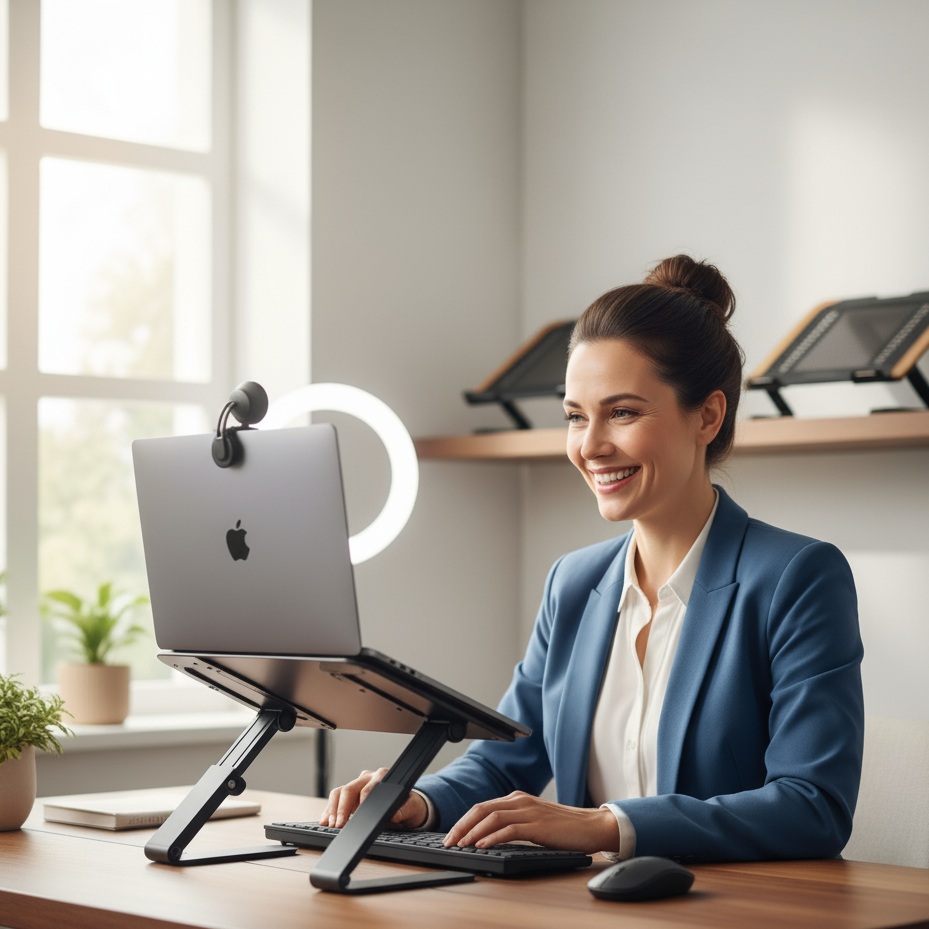
This article reviews the top laptop stands specifically designed to position your screen at eye level for flattering video calls, reducing neck strain and creating a more professional appearance on camera for remote workers and hybrid employees.
In today's remote and hybrid work environment, video conferencing has become an essential part of professional communication. However, many remote workers unknowingly sabotage their on-camera presence by positioning their laptop flat on a desk, resulting in the unflattering "up-the-nose" camera angle that can undermine their professionalism. The solution is simple yet transformative: a quality laptop stand designed specifically to elevate your screen to eye level.
After extensive testing and analysis of user reviews across major retailers including Amazon, Target, and Walmart, we've identified the five best laptop stands that will revolutionize your video conferencing setup. These stands not only improve your camera angle but also promote better posture, reduce neck strain, and create a more professional appearance during virtual meetings.
When your laptop sits flat on a desk, the built-in webcam looks up at you from below, creating an unflattering angle that often shows more of your ceiling than your background. This positioning forces you to hunch forward to see the screen clearly, leading to neck and shoulder strain during long video conferences. By elevating your laptop with a dedicated stand, you position the camera at eye level, creating a more natural, flattering angle that conveys confidence and professionalism.
Beyond aesthetics, proper laptop positioning significantly impacts your physical health. Ergonomic experts recommend positioning your screen at or slightly below eye level, approximately 20-30 inches from your face, to maintain proper posture and reduce strain during extended work sessions. For video conferencing specifically, eye-level positioning allows you to make natural "eye contact" with meeting participants by looking directly at the camera rather than down at your screen.
We evaluated each laptop stand based on several critical factors: stability during typing, height adjustability, ease of setup, portability, build quality, and value for money. We also carefully reviewed hundreds of verified customer reviews from Amazon, Target, and Walmart to understand real-world performance, particularly focusing on feedback from remote workers who use these stands daily for video conferencing.
Buy Rain Design mStand on Amazon
The Rain Design mStand represents the gold standard for desktop laptop stands, particularly for professionals who maintain a dedicated home office setup. Crafted from a single piece of aluminum with an elegant curved design, this stand elevates your laptop exactly 5.9 inches (150mm) to meet eye level for most users, creating the perfect camera angle for video conferences.
Key Features:
- Fixed height elevation of 5.9 inches brings laptop screen to eye level
- Single-piece aluminum construction provides exceptional stability
- Aluminum panel acts as heat sink to keep laptop cool during long video calls
- Cable management hole in back reduces desk clutter
- Available in multiple colors including Silver, Space Gray, and Midnight to match your laptop
- Tilted design brings screen closer for comfortable viewing
What Buyers Say:
Amazon reviewers consistently praise the mStand's sturdy construction and perfect height for video conferencing. One verified purchaser noted they "got this so I could easily switch between my work and personal laptop, and create some height so my laptop camera doesn't make me look down at it." Multiple users reported the stand completely eliminated their neck pain from video conferencing.
Customers appreciate that the Space Gray and Midnight color options match MacBook finishes perfectly, with one reviewer commenting it "honestly looks like it was made by Apple to go with the laptop." The consensus is that while the stand costs more than basic alternatives, the exceptional build quality and durability justify the investment for daily use.
Best For: Professionals with dedicated home offices who want a permanent, stable solution that matches Apple aesthetics. Requires use of external keyboard and mouse for optimal ergonomics.
Price Range: $45-$55
Buy Nulaxy C1 Laptop Stand on Amazon
The Nulaxy C1 stands out as the most versatile option for video conferencing, offering adjustable height from 3.15 inches to 10.6 inches and customizable angles to find your perfect camera position. This dual-axis adjustability makes it ideal for users of different heights or those who want flexibility to switch between sitting and standing during video calls.
Key Features:
- Adjustable height range from 3.15" to 10.6" accommodates different user heights
- Dual foldable design with angle adjustment for optimal camera positioning
- Supports laptops up to 44 lbs (20kg) with exceptional stability
- Premium 5mm aluminum alloy construction
- Ventilated design prevents laptop overheating during extended video calls
- Silicone pads protect laptop from scratches
What Buyers Say:
With over 1,400 positive reviews mentioning sturdiness, customers report the Nulaxy C1 "doesn't tip over or shake" even during active typing on video calls. One user specifically praised its utility for video conferencing, noting the stand "holds the laptop at the perfect height for your next zoom meeting." Reviewers consistently mention that it "has helped tremendously for sitting and standing on multiple video calls."
The adjustability receives particular acclaim, with users appreciating the ability to fine-tune both height and angle to achieve perfect eye-level camera positioning. However, some reviewers note that one version they received had uneven arms that caused the laptop to tilt during video calls, though this appears to be an isolated quality control issue.
Best For: Users who want maximum flexibility in positioning, those who switch between sitting and standing during video calls, or households where multiple people of different heights share the same workspace.
Price Range: $40-$50
Buy Roost V3 Laptop Stand on Amazon
For digital nomads, frequent travelers, or professionals who work from multiple locations, the Roost V3 represents the ultimate portable solution. This ultra-lightweight stand folds to just 1.3 x 1.17 x 13 inches and weighs only 6 ounces, making it easy to slip into any laptop bag. Despite its compact design, it provides seven height adjustment levels from 6 to 12 inches, ensuring you can achieve proper eye-level positioning anywhere you work.
Key Features:
- Ultra-portable design weighs only 6 ounces and folds nearly flat
- Seven height adjustment levels from 6 to 12 inches
- Patented "pivoting grips" automatically adjust to fit different laptop sizes
- Self-locking mechanism prevents accidental collapse
- Fits laptops from 12" to 18" with front edge less than 0.75 inches thick
- Includes carrying case for easy transport
What Buyers Say:
Users consistently describe the Roost as a "game changer" for remote work. One long-term user reported using their Roost "almost daily" for over five years while working remotely around the world, noting it "barely looks used." Multiple reviewers mention taking it to coffee shops, libraries, and coworking spaces to maintain proper video conferencing setup wherever they work.
The height adjustability receives particular praise for video calls, with users reporting the stand helps them achieve proper eye-level camera positioning regardless of table height. Some reviewers note the stand can feel slightly wobbly during typing due to its lightweight construction, making it essential to use an external keyboard for best results during video conferences.
Best For: Remote workers who frequently change locations, digital nomads, and professionals who want consistent video conferencing ergonomics whether working from home, office, or cafes.
Price Range: $75-$85
Buy Lamicall Adjustable Laptop Stand on Amazon
The Lamicall Adjustable Laptop Stand delivers impressive performance at a fraction of the price of premium options. This foldable aluminum stand offers both height and angle adjustments, making it easy to position your laptop camera at eye level for professional-looking video calls. Its diamond-shaped design includes ventilation cutouts to prevent overheating during extended video conferences.
Key Features:
- Adjustable height up to 6.3 inches with multiple angle options
- Foldable design for easy storage and transport
- High-quality aluminum alloy construction with heavy base for stability
- Anti-slip rubber pads protect desk and laptop from scratching
- Hook design prevents laptop from sliding forward
- Accommodates laptops from 10 to 17.3 inches
- Ventilation cutouts promote airflow
What Buyers Say:
With thousands of positive reviews, the Lamicall stand consistently earns praise for its "excellent value for money." Users report the hinge requires two hands and considerable force to adjust, which actually works in its favor—it means the stand won't shift during video calls. One verified purchaser noted, "After years of living with a sore neck from my poorly positioned laptop, I took the plunge and purchased this stand. My laptop screen is at eye level, and the ergonomics of my desk setup are greatly improved."
Multiple reviewers specifically mention improved video conferencing experiences, with one stating, "Zoom calls are at the perfect height now too!" The stand's stability during typing receives consistent praise, though it takes up slightly more space than some competitors when folded due to its heavier base.
Best For: Budget-conscious remote workers who want quality construction and adjustability without premium pricing, or those new to laptop stands who want to test the concept before investing in higher-end options.
Price Range: $45-$56
Buy Twelve South Curve Flex on Amazon
The Twelve South Curve Flex represents the pinnacle of laptop stand engineering, offering both exceptional height adjustability (up to 22 inches) and tilt adjustment (0 to 45 degrees). This combination makes it perfect for aligning your laptop camera with external monitors or achieving precise eye-level positioning for video conferences while sitting or standing.
Key Features:
- Extreme height adjustment up to 22 inches (56cm)
- Tilt adjustment from 0 to 45 degrees
- Portable design folds flat with included padded neoprene travel sleeve
- Premium construction with rubber feet and pads for stability
- Perfect for aligning laptop with external monitors at eye level
- Available in matte black or white
- Weighs 28oz (795g)
What Buyers Say:
Users consistently describe the Curve Flex as "worth the investment" for serious remote workers. The exceptional height range receives particular praise from taller users who struggle with standard stands, with multiple reviewers noting it finally brings their laptop camera to proper eye level for video conferencing. The dual adjustability—both height and tilt—allows users to fine-tune positioning for optimal camera angles.
Some reviewers note the higher price point but justify it by the stand's versatility and premium build quality. The included travel sleeve and portable design make it practical for professionals who want to maintain consistent video conferencing quality across different work locations.
Best For: Professionals who use external monitors and want to align their laptop screen at the same height, taller users who need extra elevation, or those seeking the most flexible positioning options for perfect video call angles.
Price Range: $80-$100
To maximize the benefits of your laptop stand for video conferencing, you'll need a few essential accessories:
External Keyboard and Mouse: When your laptop is elevated, typing on the built-in keyboard becomes ergonomically problematic. An external wireless keyboard and mouse positioned at elbow height creates the ideal setup for long video conferences.
Good Lighting: Positioning your laptop at eye level is only half the equation for great video presence. Invest in a simple ring light or LED panel to illuminate your face from the front, eliminating unflattering shadows.
External Webcam (Optional): For ultimate video quality, consider pairing your laptop stand with a high-quality external webcam positioned at eye level. This combination provides superior image quality compared to built-in laptop cameras.
To get the most from your laptop stand during video calls:
- Position the top of your screen at or slightly below eye level when sitting with proper posture
- Ensure your laptop camera points directly at your face, not up at your ceiling or down at your desk
- Maintain approximately 20-30 inches distance between your face and the screen
- Use external peripherals to keep your hands at comfortable elbow height
- Test your camera angle before important meetings to ensure flattering positioning
- Choose a stand with sufficient stability that won't wobble if you need to interact with your laptop during calls
In an era where video conferencing has become the default mode of professional communication, your on-camera presence matters more than ever. The unflattering "looking up" camera angle from a flat laptop not only undermines your professional image but also causes physical strain that accumulates over time. For as little as $45, a quality laptop stand can transform both your appearance on camera and your physical comfort during long video conferences.
For most users, we recommend the Rain Design mStand as the best overall choice for its exceptional stability, perfect height for video calls, and premium build quality that will last for years. Budget-conscious buyers should consider the Lamicall Adjustable Stand, which delivers impressive performance at a lower price point. Remote workers who frequently change locations will appreciate the ultra-portable Roost V3, while those seeking maximum adjustability should explore the Nulaxy C1 or Twelve South Curve Flex.
Whichever stand you choose, the investment in proper laptop positioning will pay dividends in improved video conferencing quality, better posture, reduced neck and back strain, and a more professional on-camera presence that helps you succeed in the hybrid work environment.
